

What ApexAgent is
ApexAgent is an AI agent and an MCP server for Salesforce, built in plain Apex.
Everything deploys into your org and runs with your users’ own permissions. There is no middleware and no external server to host.
No extra Salesforce licensing
Section titled “No extra Salesforce licensing”ApexAgent uses only standard platform features: Apex, custom objects, Lightning Web Components and a Salesforce Site. It needs no Agentforce license, no Flex Credits, no Einstein add-on and no Data Cloud. It runs in Developer, Enterprise, Performance and Unlimited Edition orgs.
The only running cost is the AI model itself, and only for the agent: you pay your model provider directly for what you use. The MCP server costs nothing to run, because the model belongs to the client that connects.
To see how this differs from Agentforce and Salesforce’s own MCP servers, read ApexAgent MCP server vs Salesforce Hosted MCP Servers and ApexAgent agent vs Agentforce. For how your data is protected, read Security and data.
Two things, one set of tools
Section titled “Two things, one set of tools”ApexAgent gives you two things. They draw on the same set of tools, and you can use either one without the other.
MCP (Model Context Protocol) is an open standard that lets an AI app call tools hosted somewhere else. The agent works with any provider that accepts the OpenAI chat completions format, which most do. A connection to OpenRouter, a service that gives you one API key for many AI models, comes preconfigured.
| MCP server | Agent | |
|---|---|---|
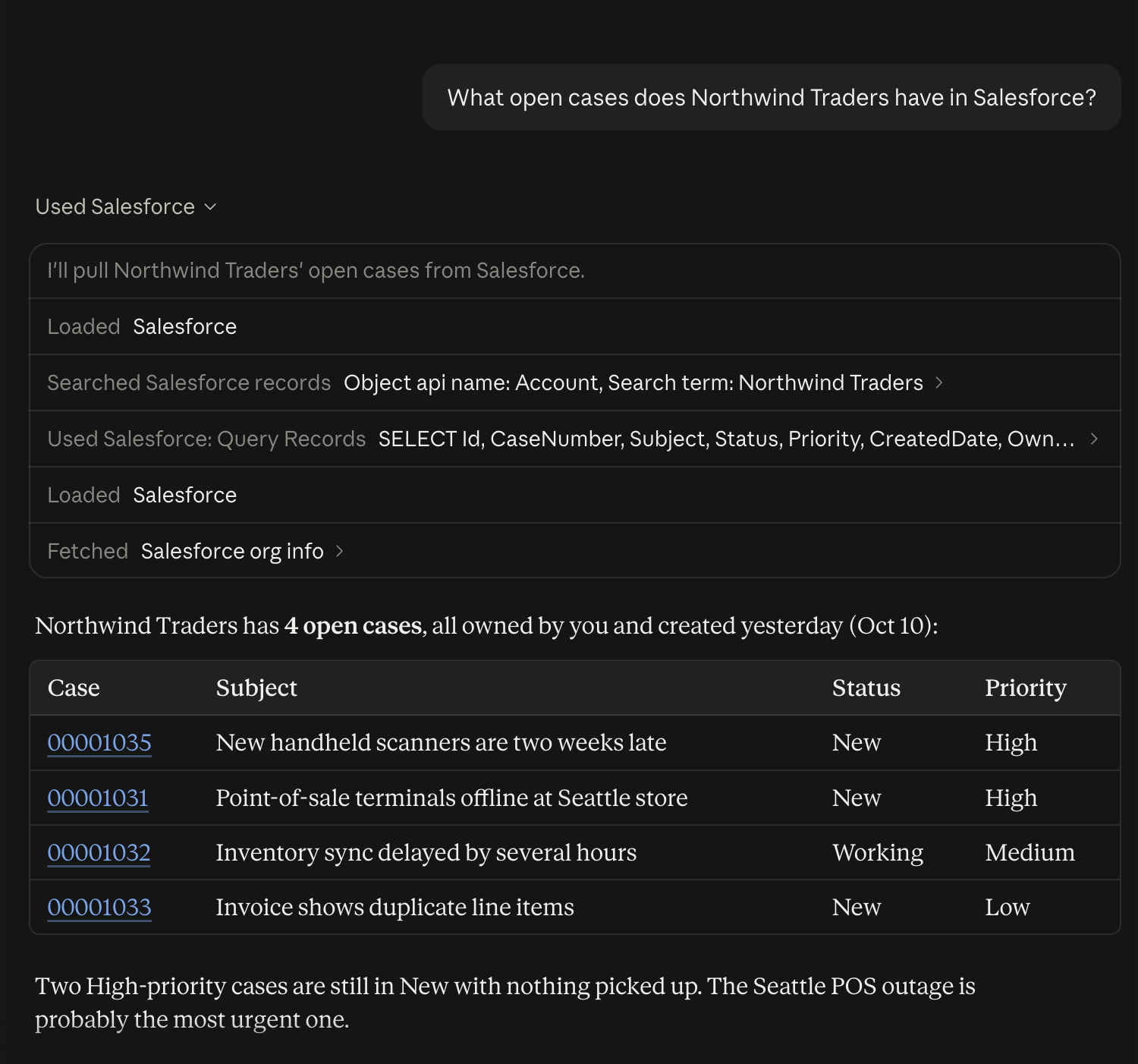
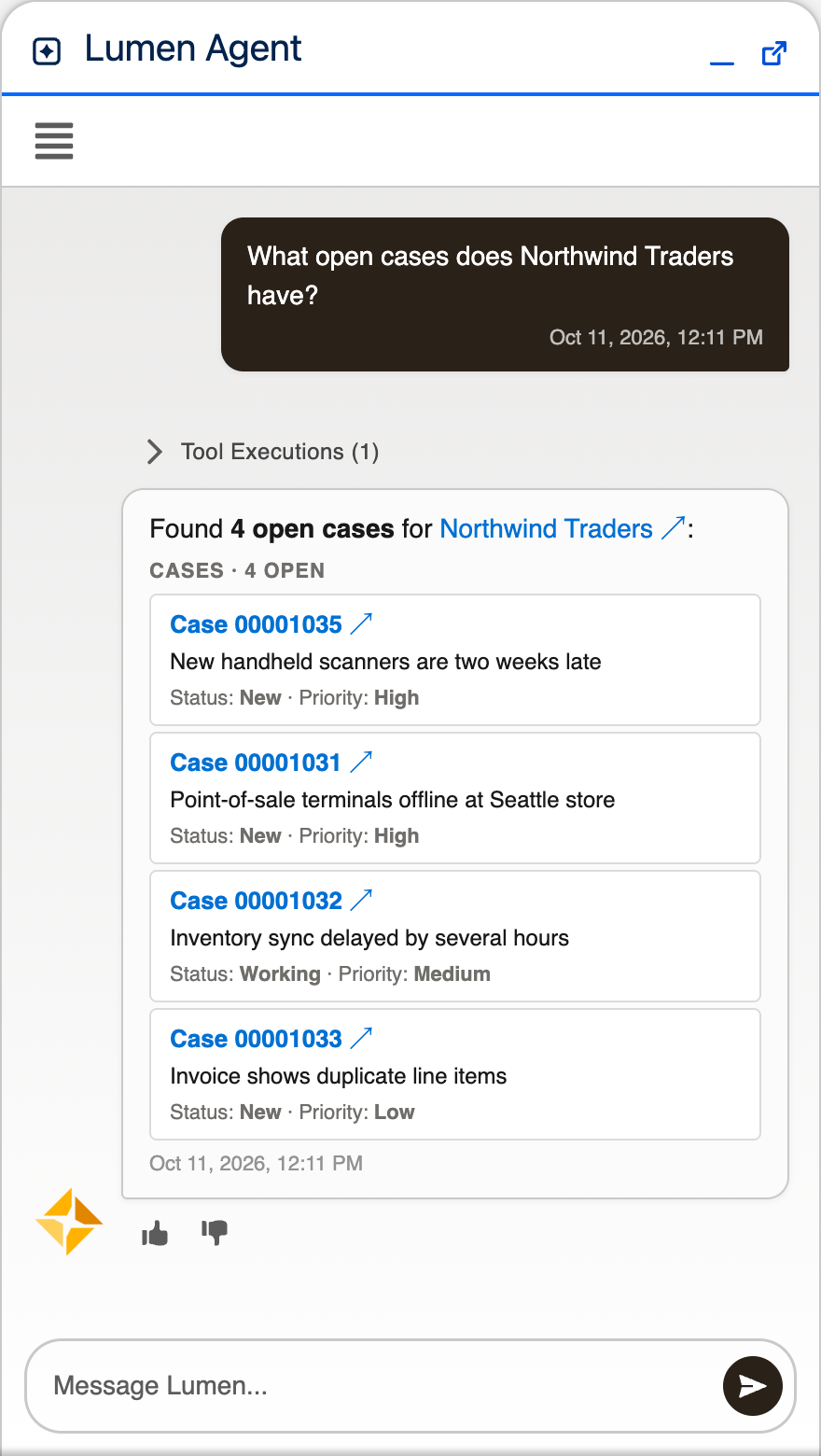
| What it is | An endpoint in your org that lets an outside AI app (Claude, ChatGPT, or any other MCP client) use Salesforce tools | A chat assistant inside Salesforce, in the utility bar |
| Where the AI model runs | In the client you connect. ApexAgent never calls a model. | Called from Apex, at any OpenAI-compatible provider |
| Extra Salesforce license | None | None |
| Who pays for the model | Whoever runs the client | You, through your account with the model provider |
| Needs a model provider API key | No | Yes. OpenRouter comes preconfigured, or use your own |
| Needs an External Client App, Salesforce’s newer form of a Connected App | Yes. The deploy creates it | No |
| Users sign in with | Their own Salesforce login, from the client | Nothing extra; they are already in Salesforce |
What’s included
Section titled “What’s included”- Ten built-in tools for finding objects, reading records, running queries and saving changes.
- ApexAgent Setup Portal: a Lightning app for managing LLMs, agents, topics, instructions, tools and MCP servers.
- Logs of every conversation, message, tool call and error.
- Reports and dashboards for agent and MCP activity.
- A setup script that creates a working starter configuration, so there is something to use right after install.
Where to go next
Section titled “Where to go next”- Check the prerequisites.
- Install ApexAgent. The steps are the same whichever part you want.
- Set up the MCP server, set up the agent, or both.